Get Contract Alerts

Contract alerts in Slack: installation and delivery

Choose your workspace and channel, add Get Contract Alerts, then send a test from Notifications.

Connect Slack

Choose where your alerts arrive

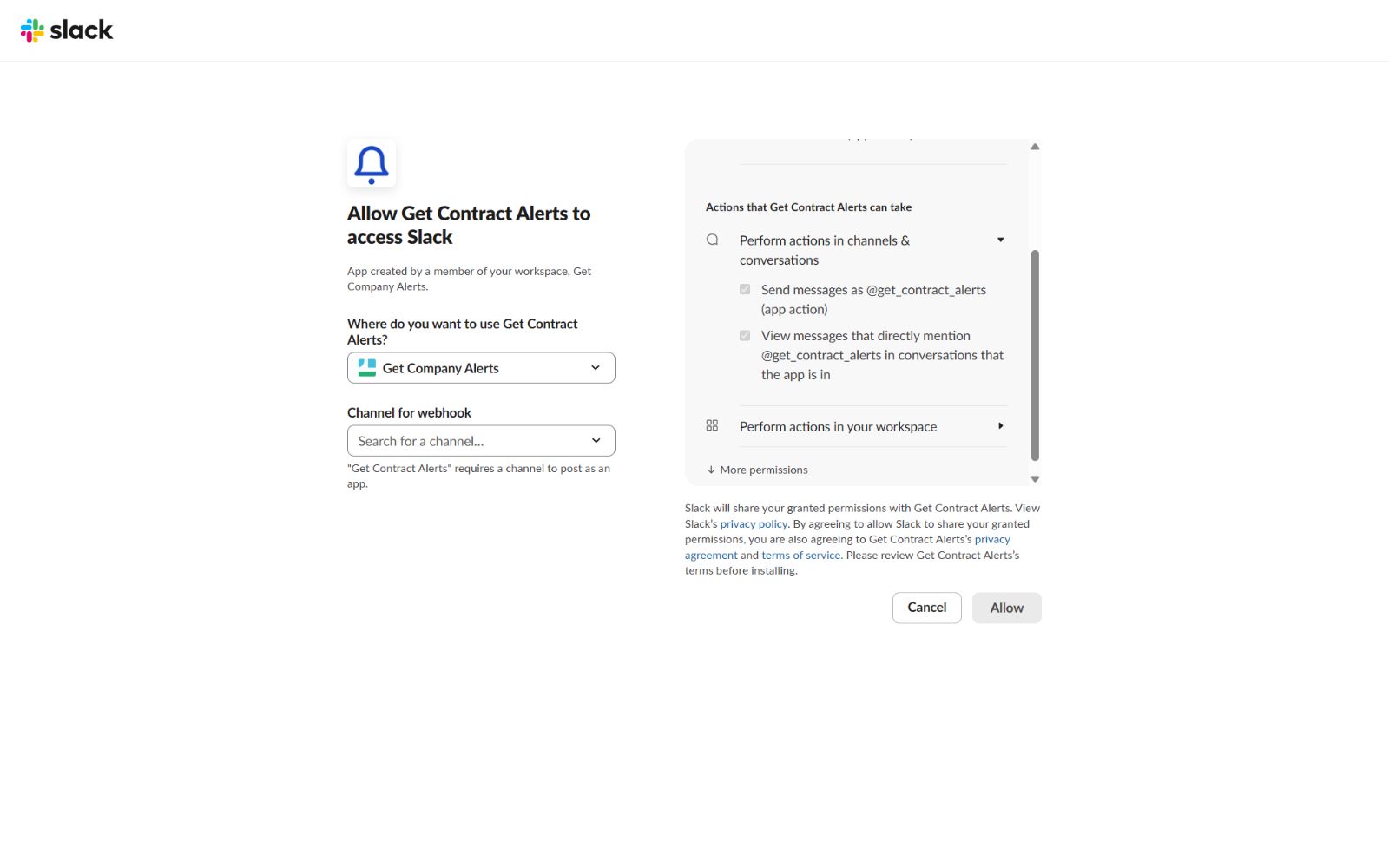
Slack authorisation screen for Get Contract Alerts, with workspace and channel selectors and requested permissions.
Connect from your account’s Notifications page. Select your workspace and channel, then approve the app.

Read contract matches with your team

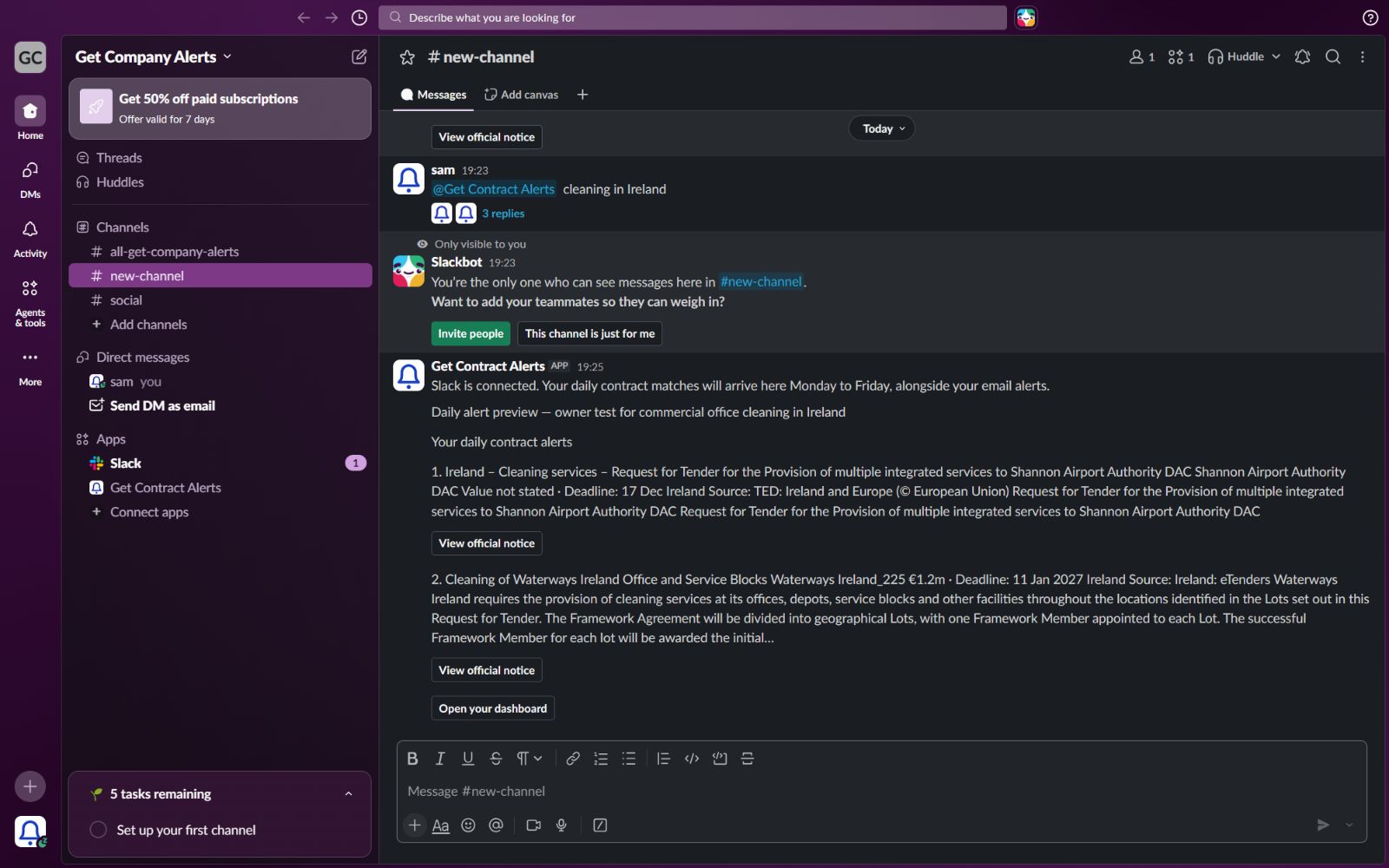
Get Contract Alerts posts two Irish cleaning contract notices in Slack, showing values, deadlines, official notice buttons and a dashboard link.
New matches arrive alongside email Monday to Friday. Official-notice buttons take you to the source.

Enable search in Notifications. In the connected channel use /tenders cleaning in Ireland, then /tenders details 2 or /tenders only in France. You can also mention the app; the connecting user can message it directly.

Installation steps, pricing and support · Privacy policy